AI STUDIO · Replace background
Change a video’s background,
keep the subject.
The subject is cut out of every frame and placed over a new scene, so their own pixels are never regenerated. Pick a preset, add a picture or describe the place.
Start creatingOpens Replace background in Postally. Generation uses credits, shown before you run.
KEY FEATURES
A new place, the same person.
Because the subject is cut out rather than redrawn, faces, logos and hands stay exactly as filmed.
The subject is never redrawn.
It is cut out of each frame and laid over the background, pixel for pixel.
Nine ready scenes.
Studio, places and moody presets, from Seamless white to Neon street.
Your own picture.
Add a background picture or a saved location.
Or describe one.
With no picture, Nano Banana 2 paints the background from your words.
Price before you run.
The credits are on the button before you start, so nothing is spent by surprise.
Lands in your library.
Every result saves to the brand’s Media library, ready to attach to a post, send for approval and schedule.
HOW IT WORKS
Swap the background in three steps.
- Step 1
Add the clip
MP4 or MOV, up to 30 seconds.
- Step 2
Choose the new scene
Pick a preset, add a picture, or describe the place in up to 500 characters.
- Step 3
Replace
The clip comes back with the subject over the new scene and saves to your library.
WHAT YOU CAN MAKE
Backgrounds that change the message.
Each idea opens Replace background with it written. Add your clip and run.
A clean studio
Lift a phone recording onto a tidy backdrop.
Try this promptRead the prompt
A clean, softly lit creator studio with a neutral wall and a few plants, slightly out of focus.
On location
Put a presenter in the place they are talking about.
Try this promptRead the prompt
A sunny Mediterranean harbor with white houses and boats, late afternoon light.
Seasonal versions
Run one clip with a holiday, summer or launch backdrop.
Try this promptRead the prompt
A cozy living room decorated for winter holidays, warm string lights and a fireplace, soft focus.
Brand color
A plain backdrop in your color for a clean, on-brand look.
Try this promptRead the prompt
A seamless studio backdrop in deep forest green with a soft gradient and gentle floor shadow.
MODELS
How it is made.
Replace background uses one pipeline.
- Postally
Subject over a new background
The subject is cut from every frame and composited over the scene. Clips up to 30 seconds.
- Google
Nano Banana 2
Paints the background when you describe it rather than add a picture.
QUESTIONS
Before you start.
No. The subject is cut out of each frame and placed over the new background. Their own pixels are not regenerated.
No. The subject is separated from the original background automatically.
Up to 30 seconds, MP4 or MOV.
Runs use AI credits. The tool shows the credits on its button before you run, so you see the price first. See the pricing page for the current plans.
Into your brand's Media library, like everything made in AI Studio. From there you can attach it to a post, send it for approval and schedule it.
Yes. The link opens the tool inside Postally, so you sign in first. Postally is in early access through the waitlist.


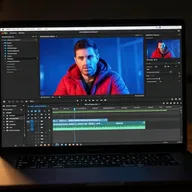
Replace background
Film anywhere. Post from somewhere better.
Open Replace background, add the clip and choose the scene. The price is on the button before you run.
Start creating