AI STUDIO · Motion sync
AI motion control:
move like the clip.
Pick who should move, a picture or a saved character, and a clip of the motion. They copy it: the dance, the gestures, even the expressions, depending on the model.
Start creatingOpens Motion sync in Postally. Generation uses credits, shown before you run.
KEY FEATURES
Performance in, character out.
Film the move once, on anyone, and give it to any character or picture.
Exact or partial.
Exact copies the clip’s motion and facing; Partial keeps the picture’s facing and follows camera moves.
Record right there.
Upload a motion clip or record one, up to 30 seconds.
Use a saved character.
Give the same movement to a character from your library.
Four models.
Kling 3.0 and 2.6 motion control, Wan 2.2 Animate and DreamActor M2.0.
Expressions too.
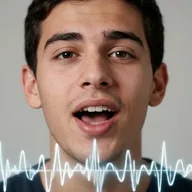
DreamActor M2.0 copies the motion, expressions and lip movement.
Lands in your library.
Every result saves to the brand’s Media library, ready to attach to a post, send for approval and schedule.
HOW IT WORKS
Copy a motion in three steps.
- Step 1
Choose who moves
A picture or a saved character.
- Step 2
Add the motion
Upload or record a clip, up to 30 seconds. Choose Exact or Partial.
- Step 3
Copy the motion
Pick a model and run. The clip saves to your library.
WHAT YOU CAN MAKE
Moves worth borrowing.
Kling models read an optional prompt. These open Motion sync with one written.
Dance trends
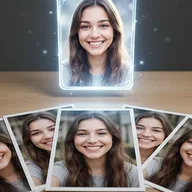
Your mascot or character doing this week’s dance.
Try this promptRead the prompt
The character performs the dance from the clip in a bright studio, full body in frame, energetic mood.
Product demos by a character
Film the gestures yourself and give them to a brand character.
Try this promptRead the prompt
The character presents to camera with the same gestures as the clip, friendly expression, clean office background.
Reactions and expressions
Copy a face performance with DreamActor M2.0.
Animate illustrations
Make a drawn character move like a real person.
MODELS
Four ways to copy a motion.
Motion sync offers these by default. All take clips up to 30 seconds.
- Kuaishou
Kling 3.0 motion control
Standard or Pro. Reads a prompt, can keep the original sound.
- Kuaishou
Kling 2.6 motion control
Standard or Pro.
- Alibaba
Wan 2.2 Animate
480p, 580p or 720p.
- ByteDance
DreamActor M2.0
Copies the motion, expressions and lip movement.
QUESTIONS
Before you start.
Exact copies the clip’s motion and which way the person faces, for clips up to 30 seconds. Partial keeps the picture’s facing and follows camera moves, for clips up to 10 seconds.
Yes. Upload a clip or record one in the tool.
Only the Kling models read it. The box disappears when you choose Wan or DreamActor.
Runs use AI credits, priced by model and length. The tool shows the credits on its button before you run, so you see the price first. See the pricing page for the current plans.
Into your brand's Media library, like everything made in AI Studio. From there you can attach it to a post, send it for approval and schedule it.
Yes. The link opens the tool inside Postally, so you sign in first. Postally is in early access through the waitlist.

Motion sync
Film the move once. Give it to anyone.
Open Motion sync, add who moves and the clip. The price is on the button before you run.
Start creating