AI STUDIO · Lip-Sync
AI avatar video:
a photo that talks.
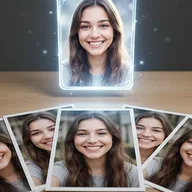
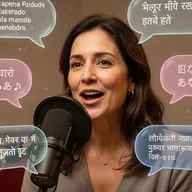
Choose who talks, a photo, a clip or a saved character, and add the audio. They say it, with lips matched to the words, for up to a minute.
Start creatingOpens Lip-Sync in Postally. Generation uses credits, shown before you run.
KEY FEATURES
A presenter without a camera.
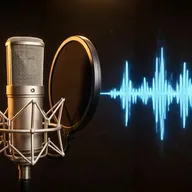
Record the words once, or make them in Create voice-over, and give them a face.
Photo, clip or character.
Start from a still, re-voice a video, or use a character from your library.
Up to 60 seconds.
The clip is as long as your audio, from 3 seconds to a minute.
Expression in words.
Some models read an expression prompt: calm, excited, serious.
Talking video for characters.
From the Character tab, choose who talks and Lip-Sync opens with them attached.
Up to 1080p.
MiniMax H3 Lip Sync and OmniHuman 1.5 go up to 1080p.
Lands in your library.
Every result saves to the brand’s Media library, ready to attach to a post, send for approval and schedule.
HOW IT WORKS
Make a talking video in three steps.
- Step 1
Choose who talks
A photo, a video or a saved character.
- Step 2
Add the audio
Upload or record 3 to 60 seconds. Make it in Create voice-over if you need a voice.
- Step 3
Generate
Pick a model and resolution, then run. The clip saves to your library.
WHAT YOU CAN MAKE
Talking videos people post.
Lip-Sync reads an optional expression. These open it with one written.
Product explainers
A presenter walks through a feature in 30 seconds.
Try this promptRead the prompt
Clear and friendly, natural head movement, occasional smile.
Founder updates
Post an update in your own voice without filming.
Try this promptRead the prompt
Calm and sincere, steady eye contact, small nods.
Characters with a voice
Give your mascot or AI character lines to say.
Try this promptRead the prompt
Playful and expressive, lively eyebrows, big smile.
Re-voice a clip
Fix a line in a video by syncing the lips to new audio.
MODELS
Models for photos and for clips.
Lip-Sync offers these by default. Which ones show depends on whether you add a photo or a clip.
- ByteDance
OmniHuman 1.5
For photos. 720p or 1080p; 1080p takes audio under 30 seconds.
- MiniMax
MiniMax H3 Lip Sync
For photos. 480p, 768p or 1080p.
- Kuaishou
Kling Avatar Pro
For photos.
- Sync
Sync Lipsync 2
For clips. Standard or Pro, with options when lengths differ.
QUESTIONS
Before you start.
Open Lip-Sync, add the photo under Choose who talks, add your audio and generate. The person in the photo says the audio.
As long as your audio, from 3 to 60 seconds. On OmniHuman 1.5, 1080p takes audio under 30 seconds.
Record or upload it, or make it in Create voice-over from a script, with a library voice or one you cloned.
Runs use AI credits, priced by model and length. The tool shows the credits on its button before you run, so you see the price first. See the pricing page for the current plans.
Into your brand's Media library, like everything made in AI Studio. From there you can attach it to a post, send it for approval and schedule it.
Yes. The link opens the tool inside Postally, so you sign in first. Postally is in early access through the waitlist.
Lip-Sync
Give a face your words.
Open Lip-Sync, choose who talks and add the audio. The price is on the button before you run.
Start creating