AI STUDIO · Frame to video
AI image to video:
animate any still.
Add a picture as the first frame, and another as the last if you want. Describe the motion and get a short clip that starts exactly where your image does.
Start creatingOpens Frame to video in Postally. Generation uses credits, shown before you run.
KEY FEATURES
Your picture, set in motion.
The clip begins on your frame, so the product, the person and the colors stay yours.
Start and end frames.
Give it a last frame too and the clip has to arrive there. Many models support it, including Kling 3.0, Seedance 2.0 and Wan 3.0.
Around 28 models.
Kling, Veo 3.1, Seedance, Wan, Hailuo, PixVerse, Grok Imagine, LTX 2.3 and more.
Camera moves and multi-shot.
Name a move in the prompt, or plan several shots on Kling 3.0.
Storyboard preview.
Check the motion as a sheet of frames before you pay for the video.
Price before you run.
The credits are on the button before you start, so nothing is spent by surprise.
Lands in your library.
Every result saves to the brand’s Media library, ready to attach to a post, send for approval and schedule.
HOW IT WORKS
From a still to a clip in three steps.
- Step 1
Add your frame
Upload the picture the clip starts on. Add an end frame if you want it to land somewhere specific.
- Step 2
Describe the motion
Say what moves and how the camera follows. Keep it to what happens between the frames.
- Step 3
Pick a model and generate
Choose the model, length and shape, then run up to eight takes at once.
WHAT YOU CAN MAKE
What a still can become.
Each prompt opens Frame to video with it written. Add your picture and run.
Product photos that move
A packshot that turns, opens or pours.
Try this promptRead the prompt
The product rotates slowly on its base as soft light sweeps across it, gentle camera push in, clean studio background.
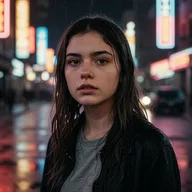
Portraits with life
A headshot that blinks, smiles and looks to camera.
Try this promptRead the prompt
The person blinks, smiles softly and turns slightly toward the camera, hair moving in a light breeze, natural light.
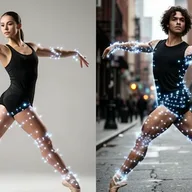
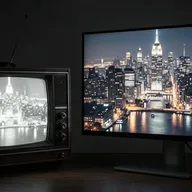
Before and after
Set the before as the start frame and the after as the end frame.
Try this promptRead the prompt
A smooth transformation from the first frame to the last, the room tidies itself as the camera slowly pulls back.
Illustrations and art
Bring a drawing, a poster or a cartoon frame to life.
Try this promptRead the prompt
The illustrated scene comes alive, clouds drift, leaves sway and the character waves, keep the drawn style.
MODELS
The model decides the motion.
Frame to video offers these and more. Not every model takes an end frame; the form shows which do.
- Kuaishou
Kling 3.0
Start and end frames, multi-shot, up to three references.
- Google
Veo 3.1
Start frame, with sound.
- ByteDance
Seedance 2.0
Start and end frames, 4 to 15 seconds.
- Alibaba
Wan 3.0
Start and end frames.
- xAI
Grok Imagine 1.5
1 to 15 seconds, up to 1080p.
QUESTIONS
Before you start.
Open Frame to video, add the photo as the start frame, describe the motion and generate. The clip begins on your photo.
It gives the clip a destination: the video has to arrive at that picture. Use it for transformations and transitions. Models without end-frame support hide that option.
Start each clip from a picture of them. For more control, Reference to video and Kling 3.0’s references keep a character or product identical.
Runs use AI credits, priced by model and length. The tool shows the credits on its button before you run, so you see the price first. See the pricing page for the current plans.
Into your brand's Media library, like everything made in AI Studio. From there you can attach it to a post, send it for approval and schedule it.
Yes. The link opens the tool inside Postally, so you sign in first. Postally is in early access through the waitlist.
Frame to video
Give your best picture a second life.
Open Frame to video, add the still and describe the motion. The price is on the button before you run.
Start creating