AI STUDIO · 3D world
AI 3D world:
a set you can walk through.
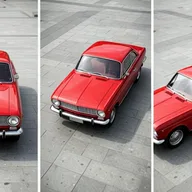
Build a place once and shoot in it as often as you like. Orbit, fly or walk through the world, then take shots from any position, with or without a character in them.
Start creatingOpens 3D world in Postally. Generation uses credits, shown before you run.
KEY FEATURES
One location, unlimited angles.
Stop describing the same room in every prompt. Build it and move the camera.
Built from Create location.
Make a location from a picture or a description, then build it into a world from up to four views.
Three sizes.
A quick draft in about 20 seconds, or Standard and Large builds in about 5 minutes.
Orbit, fly or walk.
Move through the world at four speeds to find the shot.
Take shots with any lens.
From 18 to 300 mm, in 16:9, 9:16, 1:1 or 4:5, or as a 360° view.
Put a character in it.
Add a saved character and describe the scene.
Bring your own scan.
Import a .sog, .spz or .ply file, or start from one of Postally’s worlds.
HOW IT WORKS
From a place to a shot in three steps.
- Step 1
Pick or build a world
Choose one of yours or Postally’s, import a scan, or create a location and build it.
- Step 2
Move the camera
Orbit, fly or walk to the position you want and choose the lens and shape.
- Step 3
Take the shot
Add a character or a line about the scene. The shot saves to your library.
WHAT YOU CAN MAKE
What a world is for.
3D world opens a picker, not a prompt box, so there is no prompt link.
A recurring set
The same cafe, studio or bedroom in every episode of a series.
Start frames for video
Take a shot in the world, then animate it in Frame to video.
Product in a place
Shoot the same space from many angles for a campaign.
A 360° view
Capture the whole space in one wide shot.
MODELS
What builds the world.
Worlds and shots use these by default.
- World Labs
Marble
Builds the world in Draft, Standard or Large.
- Tencent
HunyuanWorld panorama
An optional 360° panorama preview, in about 30 seconds.
- Google
Nano Banana 2
Re-renders each shot you take in the world.
QUESTIONS
Before you start.
Open 3D world and choose Create location. Make the location from a picture or a description, pick a world size and build it. You can also start from one of Postally’s worlds or import a scan.
A Draft takes about 20 seconds. Standard and Large take about 5 minutes. A draft can be built in full later.
Orbit, fly or walk through it, and take framed or 360° shots with a lens from 18 to 300 mm, with an optional character.
Yes, as a .sog, .spz or .ply file.
Runs use AI credits, priced by world size; Large is twice the price of Standard. The tool shows the credits on its button before you run, so you see the price first. See the pricing page for the current plans.
Yes. The link opens the tool inside Postally, so you sign in first. Postally is in early access through the waitlist.
3D world
Build the set. Then just shoot.
Open 3D world and pick or build a place. Any price is shown before you build.
Start creating