AI STUDIO · Text to image
AI text to image,
up to 4K.
Describe the picture, add reference images if you have them, and pick a model. Get stills at up to 4K, ready to send for approval and schedule from the same app.
Start creatingOpens Text to image in Postally. Generation uses credits, shown before you run.
KEY FEATURES
The leading image models, one prompt box.
Write once and try the same idea on different models. The settings follow the model you pick.
Nine models and counting.
Nano Banana 2, 2.1 and Pro, GPT Image 2, Seedream 4.5 and 5.0 Pro, FLUX.2 and more.
Up to 14 references.
Add pictures of a product, a person or a style and the model works from them.
Up to 4K.
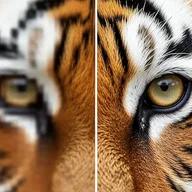
Nano Banana 2 runs from 0.5K to 4K; GPT Image 2 takes any size up to 3840 pixels.
Eight at a time.
Ask for up to eight images in one run and keep the best.
Your characters and products.
Type @ to pull a saved character, product or location into the prompt.
Lands in your library.
Every result saves to the brand’s Media library, ready to attach to a post, send for approval and schedule.
HOW IT WORKS
From a sentence to an image in three steps.
- Step 1
Describe the image
Say what is in it, the light and the angle. Enhance can tighten the prompt for you.
- Step 2
Pick a model and the output
Choose the model, then the aspect ratio and resolution, or the quality on GPT Image.
- Step 3
Generate
Run up to eight at once. Each image saves to your library.
WHAT YOU CAN MAKE
Images you can post today.
Each prompt opens Text to image with it written. Change anything before you run.
Product shots
A clean hero image without a photo shoot.
Try this promptRead the prompt
A glass bottle of amber perfume on a marble block, soft shadow, warm studio light, minimal beige background, product photography.
Social post backgrounds
A calm, on-brand image to put a headline over.
Try this promptRead the prompt
A soft abstract background of flowing sage green and cream shapes, subtle paper texture, lots of empty space for text.
Lifestyle scenes
People and places that fit your brand’s world.
Try this promptRead the prompt
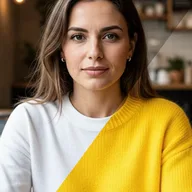
A woman in her thirties working on a laptop at a sunlit cafe table, candid, natural colors, shallow depth of field.
Illustrations
A drawn image for a blog post, a tip or a quote.
Try this promptRead the prompt
A flat vector illustration of a small team planning a content calendar on a wall, friendly shapes, green and off-white palette.
MODELS
Choose the model per image.
Text to image offers these and more.
- Google
Nano Banana Pro
1K to 4K, up to 14 reference pictures.
- Google
Nano Banana 2
0.5K to 4K, up to 14 reference pictures, eight aspect ratios.
- OpenAI
GPT Image 2
Up to 16 references, any size up to 3840 px, Low to High quality.
- ByteDance
Seedream 5.0 Pro
Up to 10 reference pictures.
- Black Forest Labs
FLUX.2
Up to 4 reference pictures.
QUESTIONS
Before you start.
Try Nano Banana Pro or Nano Banana 2 when you work from reference pictures, GPT Image 2 when you want control over quality and size, and FLUX.2 or Seedream for a different look. Switching models keeps your prompt.
Yes. Add up to 14 JPEG, PNG or WEBP files, 20 MB each. The limit is lower on some models, for example 10 on Seedream and 4 on FLUX.2.
It depends on the model. Nano Banana 2 offers eight aspect ratios from 9:16 to 21:9 at 0.5K to 4K.
Runs use AI credits, priced by model and size. The tool shows the credits on its button before you run, so you see the price first. See the pricing page for the current plans.
Into your brand's Media library, like everything made in AI Studio. From there you can attach it to a post, send it for approval and schedule it.
Yes. The link opens the tool inside Postally, so you sign in first. Postally is in early access through the waitlist.
Text to image
The picture in your head, on the page.
Open Text to image, describe it and pick a model. The price is on the button before you run.
Start creating