AI STUDIO · Face swap
AI face swap:
a face or a whole head.
Add the photo to edit and the face to use. Swap only the face and keep their hair, or swap the whole head. The face can be a picture or a character you saved.
Start creatingOpens Face swap in Postally. Generation uses credits, shown before you run.
KEY FEATURES
The right face in the right photo.
For putting your own model or character into a shot you already have.
Swap face.
Changes the face and keeps the hair of the person in the photo.
Swap head.
Moves the face and hair together.
Use a saved character.
Pick a character from your library as the face, so it matches across posts.
Nothing to write.
Two pictures and a mode. No prompt.
Price before you run.
The credits are on the button before you start, so nothing is spent by surprise.
Lands in your library.
Every result saves to the brand’s Media library, ready to attach to a post, send for approval and schedule.
HOW IT WORKS
Swap a face in three steps.
- Step 1
Add the photo to edit
The picture the face goes onto.
- Step 2
Add the face
A picture or a saved character. Choose face or head.
- Step 3
Swap
The result saves to your library.
WHAT YOU CAN MAKE
Where a swap is useful.
Face swap starts from two pictures, so there is no prompt to write.
Your character in a real shot
Put an AI character’s face onto a lifestyle or product photo.
One model, many outfits
Keep the same face across a set of catalogue photos.
Yourself in a scene
Use your own headshot on a styled photo.
Fix one frame of a set
Use the good expression from one photo on another.
MODELS
The swap model.
Face swap runs on one model.
- Google
Nano Banana 2
Edits the photo using the face picture as its reference.
QUESTIONS
Before you start.
Swap face changes the face and keeps the hair of the person in the photo. Swap head moves the face and hair together.
Your own, a saved character, or someone who has given you permission. You are responsible for the people you put in a picture.
For video, use Replace character with Face only, which keeps the person’s body and clothes.
Runs use AI credits. The tool shows the credits on its button before you run, so you see the price first. See the pricing page for the current plans.
Into your brand's Media library, like everything made in AI Studio. From there you can attach it to a post, send it for approval and schedule it.
Yes. The link opens the tool inside Postally, so you sign in first. Postally is in early access through the waitlist.
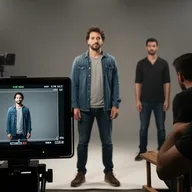


Face swap
Two pictures in, one out.
Open Face swap, add the photo and the face. The price is on the button before you run.
Start creating